
Multilingual Messaging with Real-Time Translation
Overview
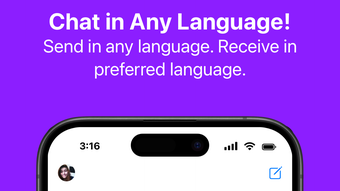
Strings Messenger is a desktop messaging application designed to break down language barriers in real-time communication. Built with multilingual users in mind, the software enables seamless conversations across different languages through advanced translation powered by large language models. Whether used for personal conversations with international friends or collaborative work in multilingual teams, the app supports both one-on-one and group messaging with consistent translation accuracy. Its core purpose is to ensure that language differences do not hinder effective communication.
The software is accessible on both Windows and Mac platforms, making it a versatile tool for users who rely on cross-platform compatibility. It allows users to send text, photos, videos, and other media over their device’s data connection, eliminating the need for traditional SMS or carrier-based messaging. The app also supports FaceTime-style video calls, enabling face-to-face interaction regardless of geographic location. This makes it ideal for remote teams, expatriates, language learners, and families with members across different countries.
The developer did not provide additional details about their background or company history. However, the app’s focus on real-time language translation suggests a strong emphasis on AI-driven communication tools. It is particularly useful in scenarios where users need to maintain fluent conversations without switching between translation tools or relying on manual interpretation.
Key Features & Capabilities
- Real-Time Multilingual Translation – Messages are translated instantly into the user’s preferred language, ensuring clear and natural communication across language barriers.
- Support for Mixed-Language Input – Users can compose messages in any combination of languages, such as English and Spanish, with the app intelligently translating each segment.
- Rich Media Sharing – Send and receive text, photos, videos, and other file types directly within the chat interface, all while maintaining translation accuracy.
- Internet-Based Video Calls – Initiate FaceTime-like video calls over Wi-Fi or mobile data, enabling visual communication without geographic limitations.
- Free Access with No Subscription – The software is available at no cost, allowing unrestricted use for personal and professional communication.
These features make the app highly effective for language learners who want to practice real conversations, travelers communicating with locals, and professionals managing global teams. The integration of LLM-powered translation within a standard messaging interface reduces friction in multilingual interactions, offering a streamlined experience compared to using separate translation and messaging platforms.
User Interface, Workflow & Performance
Strings Messenger features a clean, modern interface optimized for desktop use on both Windows and Mac. The layout is divided into intuitive sections: a sidebar for contact and chat management, a central chat window for message exchange, and a bottom panel for composing messages and attaching media. Navigation is straightforward, with minimal clicks required to switch between conversations or access settings.
Workflow efficiency is enhanced by the automatic translation of incoming messages, which appear in the user’s selected language without manual intervention. Composing messages supports natural input in any language, with the system handling translation behind the scenes. The app maintains a responsive interface during media transfers and call sessions, though exact performance details were not specified.
The developer did not specify resource usage details. Performance observations are based on general software behavior patterns. Stability during extended use and background operation was not confirmed. Users can expect standard behavior for a messaging application of its type, with typical CPU and RAM usage patterns for real-time communication tools.
Compatibility & System Requirements
Strings Messenger is compatible with both Windows and Mac operating systems, offering a unified experience across desktop platforms. The software has a file size of 78.5 MB, indicating a lightweight installation suitable for most modern systems. It is designed to run on standard desktop hardware, though specific hardware requirements were not listed.
Exact system requirements were not provided. Compatibility information was partially provided, focusing only on the supported operating systems. Users should ensure their system meets baseline standards for running desktop applications, including sufficient storage space and an active internet connection. The app functions over data networks, so a stable connection is essential for optimal performance.
Pros and Cons
Pros
- Real-time multilingual translation powered by advanced language models
- Supports mixed-language messaging with seamless translation
- Free to use with no subscription or hidden fees
- Rich media sharing and video calling capabilities
- Available on both Windows and Mac platforms
Cons
- Exact system requirements were not specified
- Performance under heavy load or long sessions was not documented
- No information on offline functionality or data storage practices
- Developer background and company details are not publicly available
FAQ Section
Is Strings Messenger available for Windows and Mac?
Yes, the software is compatible with both Windows and Mac operating systems, providing a consistent experience across desktop platforms.
Can I use Strings Messenger without an internet connection?
The app requires an active internet connection to send and receive messages, as well as to perform real-time translations and video calls.
Is the software secure and private?
While the app uses internet-based communication, specific details about data encryption, privacy policies, or data handling practices were not provided by the developer.
How often does the app receive updates?
Update frequency is not publicly disclosed. Users should check the official website or app store for the latest version.
Is there a license type or subscription required?
Strings Messenger is currently free to use with no subscription or licensing fees. The app remains accessible at no cost as of the release date.
Final Thoughts + CTA
Strings Messenger presents a compelling solution for users navigating multilingual communication on desktop platforms. Its integration of real-time translation powered by large language models offers a significant advantage over traditional messaging tools, especially for global users, language learners, and remote teams. The ability to send mixed-language messages and maintain natural conversation flow sets it apart in the crowded messaging space.
While some details such as system requirements, performance under load, and privacy practices remain unspecified, the app’s core functionality is strong and well-executed. Its free access model enhances its appeal, making it a practical choice for anyone seeking seamless cross-language communication.
For users who value inclusive, efficient, and AI-enhanced messaging, Strings Messenger delivers on its promise. Download Strings Messenger now to experience real-time multilingual communication on your desktop.







